Key Highlights for Android Developers from Google I/O
At Google I/O, a plethora of announcements aimed at enhancing productivity for Android developers were unveiled. This year’s updates emphasize the integration of AI tools and a focus on creating high-quality applications that adapt seamlessly across the Android ecosystem. Here’s a roundup of the most significant features introduced during the event.
1. Enhanced Development Tools
The introduction of the Android CLI marks a major milestone for developers. This stable tool allows users to integrate various AI agents, such as Claude Code and Codex, to perform essential Android tasks more efficiently. With the new commands from Android Studio, developers can enable agents to conduct semantic symbol resolution and run end-to-end UI tests, streamlining the development process significantly.
2. Streamlined App Creation with Google AI Studio
Google AI Studio has emerged as a game-changer, enabling developers to create native Android applications simply by entering prompts. This platform incorporates best practices like Jetpack Compose and Kotlin, allowing for rapid prototyping, iteration, and deployment without the need for extensive local setups. The integration of an embedded emulator further simplifies the testing process.
3. Migration Assistant for Cross-Platform Development
The new Migration Assistant in Android Studio is designed to facilitate the conversion of apps from iOS and other platforms to Android. This tool significantly reduces the time required for porting applications—from weeks to mere hours—by automating the mapping of features and converting assets using Android’s best practices.
4. Building Intelligent Applications
Generative AI capabilities have been expanded, allowing developers to create more personalized and intelligent applications. The preview of Gemini Nano 4 showcases advancements in on-device intelligence for tasks such as data extraction and summarization. Additionally, the introduction of Firebase AI Logic enables developers to leverage Gemini models for more robust application functionalities.
5. Adaptive Design for Diverse Devices
The Android platform is now adopting a Compose First approach, which prioritizes Jetpack Compose for UI development. This shift is complemented by new tools for creating adaptive experiences across various devices, including phones, tablets, and large-screen displays like Googlebook. With over 580 million large-screen devices, focusing on adaptive design presents a substantial opportunity for developers.
6. Unified Widget and App Development Experience
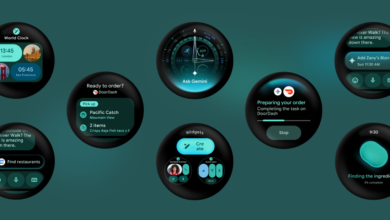
Android 17 introduces a unified development experience for widgets through Jetpack Glance, allowing developers to create consistent UI components across mobile and wearable devices. Furthermore, enhancements for Android for Cars simplify the process of building apps for in-car experiences, ensuring that developers can reach a broader audience.
7. Performance Optimization Tools
To assist developers in enhancing app performance, several new optimization tools have been introduced. The R8 Configuration Analyzer helps identify memory bloat, while the new Android Performance Analyzer offers advanced features for detecting performance bottlenecks. These tools are essential for maintaining high-quality user experiences in apps.
8. Future of Google Play and App Discovery
Google Play is also undergoing significant changes, with the introduction of Play Shorts, a new immersive video format aimed at enhancing app discovery. The Engage SDK is designed to optimize user interactions across all Google TV devices, making it crucial for developers to adopt these new features to ensure their apps remain competitive.
As Android continues to evolve, these updates from Google I/O represent a commitment to empowering developers with the tools they need to create innovative, high-quality applications. For more detailed insights, developers are encouraged to watch the keynote and explore the various sessions available during the event.
Source for the original facts: Original source.