Unlocking Creativity: New Features in the June Pixel Drop
The June Pixel Drop has arrived, bringing a host of exciting features aimed at enhancing the creative capabilities of Pixel users. This update introduces innovative tools for video and music creation, improved multitasking options, and essential safety features, all designed to make your device experience more personalized and efficient.
Screen Reactions: A New Way to Capture Your Moments
Have you ever found it challenging to record reaction videos on your phone? The new Screen Reactions feature simplifies this process significantly. Now, you can easily record your reactions while capturing your screen, allowing you to create engaging content without the hassle of switching between multiple apps. This Pixel-first experience enables you to include selfie videos in your screen recordings, effectively creating your own green screen effect.
To start using Screen Reactions, swipe down twice on the Quick Settings menu, select the recording icon, toggle the “Show selfie camera” option, and hit start. You’ll have complete control over your screen while your front-facing camera captures your reactions in real-time, allowing for seamless content creation.
Gemini: Your AI-Powered Creative Assistant
The June Pixel Drop also features enhancements to the Gemini app, specifically with the introduction of Gemini Omni 2 for video creation. This tool allows you to communicate naturally with Gemini to bring your ideas to life through a blend of text, images, and videos. You can start from scratch, remix existing content, or utilize premade templates to create high-quality videos.
Additionally, the new Gemini 3 music generation feature enables users to create original tracks effortlessly. By simply describing your idea or uploading an image, you can have Gemini transform it into a high-quality audio track complete with lyrics. This feature is designed for customization, allowing you to specify the style, vocals, and tempo of your music.
Enhanced Multitasking and Voice Translate Features
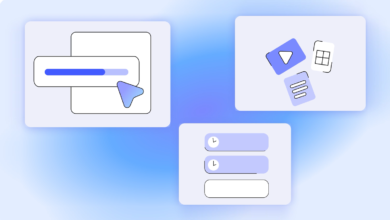
To improve multitasking, the June update introduces the ability to convert any app into a compact, floating window. By long-pressing an app icon, you can create a bubble that remains on top of other applications, making it easier to switch between tasks. This feature is particularly useful for users who need to juggle multiple apps simultaneously, whether for work, travel, or entertainment.
The update also expands the Voice Translate feature to the Pixel 10a, providing real-time translation during phone calls. This advanced speech-to-speech translation allows for seamless communication, even when language barriers exist.
Safety Features and Custom Voicemail Greetings
In addition to creative tools, the June Pixel Drop enhances user safety with the integration of Emergency Sharing into core Emergency Detection features. This includes Car Crash Detection, Fall Detection, and Loss of Pulse Detection. If your Pixel detects a severe incident, it will automatically call emergency services and notify your designated emergency contacts.
Moreover, the Take a Message feature is being expanded to more markets, allowing users to receive real-time text transcripts of voicemails along with AI-generated next steps. You can also now record custom voicemail greetings, providing a more personalized experience for callers.
With these updates, the June Pixel Drop not only enhances the creative potential of your device but also ensures a safer and more efficient user experience. Be sure to check your device settings over the coming weeks to access these new features and start exploring what your Pixel can do.
Source for the original facts: Original source.