Animerge

Animerge PlayZoria
Animerge
Start Game

Animerge PlayZoria

Play Animerge Online on PlayZoria

Play Animerge online and enjoy one of the most entertaining experiences in the All Games category. Designed for modern players, this game combines smooth mechanics with engaging challenges.

The gameplay experience in Animerge focuses on fun, accessibility, and continuous improvement. Players can explore exciting mechanics while enjoying responsive controls.

Fans of All Games games will appreciate the creative design and dynamic levels found in Animerge. Each session introduces new challenges that enhance focus and reaction skills.

Animerge Game Features

  • Engaging levels with progressive difficulty
  • Smooth and responsive gameplay mechanics
  • Suitable for casual and competitive players
  • Playable instantly in your browser
  • Optimized graphics and fast loading
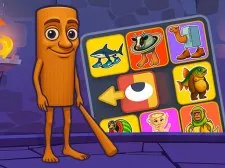
Animerge is a charming and relaxing casual game where players merge cute adorable animals, starting from the tiniest mouse, all the way to the majestic elephant! Combining these animals playing solo or battling with friends, the cozy Lo-Fi music and hand drawn art create the perfect atmosphere for unwinding. Merge, strategize, and relax in this fun and laid-back adventure! P.S. – much more is on the way…!

Why Play Animerge on PlayZoria?

Players can return to Animerge anytime for quick fun sessions or longer gameplay challenges.

The replay value of Animerge ensures players always discover new strategies and achievements.

Animerge stands out as a high-quality All Games game that offers both entertainment and skill development.

Explore more exciting titles like Animerge here on PlayZoria and enjoy unlimited browser gaming.


Categories and tags of the game : 1player, 2d, 2players, Animal, Casual, Kids Friendly and more..., Multiplayer, No Blood

Animerge - How to Play

LMB or Tap to drop. Press and hold to drag animals. Press the Cyclone icon at top right corner of the window to swirl animals and make space. Press the radio to change the Lo-fi music. Open the docker at the right hand side by clicking on its handle.