Unveiling the Future of Android Development: Enhanced Flexibility and Tools

Introduction to the New Era of Android Development
As the landscape of technology evolves, so do the tools and methodologies for creating Android applications. At the recent Android Dev Summit, a significant announcement was made regarding the availability of various tools and APIs aimed at enhancing the flexibility and efficiency of Android app development. These updates are designed to streamline the coding process, facilitate engaging user experiences, and simplify the scaling of applications across diverse screen sizes.
Enhanced Flexibility with Android Studio Rabbit 2
One of the standout features introduced is the stable release of Android Studio Rabbit 2. This new version allows developers to select their preferred coding agents from a diverse array of over 40 ACP-compliant options, including Claude Agent, Codex, and Antigravity. This flexibility empowers developers to leverage the full suite of tools available in Android Studio, enabling them to create high-quality applications more efficiently.
Introducing the Connected Apps Platform
To further support developers in navigating the evolving landscape of app development, a new Connected Apps Platform has been unveiled. This platform facilitates the connection with high-intent users across Gemini and Search. Developers can build applications natively using Android MCP or remote MCP, prototype in Gemini dev mode, and register through the Google Connected Console preview program for production readiness. This initiative allows developers to reach users in various contexts, enhancing engagement and interaction.
Scaling Applications Across Devices
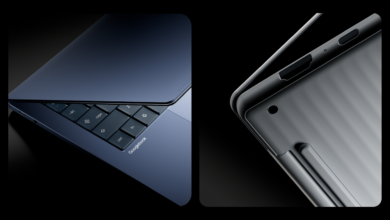
With the expansion of the Android ecosystem, the ability to scale applications seamlessly across different devices is more crucial than ever. The introduction of Googlebook allows apps to function across phones and laptops without the need for separate codebases. The Compose adaptive skill plays a vital role in this transition, enabling developers to transform mobile apps for various platforms, including foldables, tablets, and XR devices.
Optimizing for Desktop and Foldable Devices
Recent updates to the Adaptive skill make it easier for developers to prepare their existing applications for desktop environments. This includes auditing Compose UI to implement keyboard shortcuts, custom pointer cursors, and hover states for buttons. Additionally, the skill now manages end-to-end state management across apps and optimizes layouts for foldable devices, ensuring a seamless user experience.
Upcoming Opportunities and Guidelines
Looking ahead, Google Play will be placing a greater emphasis on how applications perform on foldable devices. Developers are encouraged to utilize the Compose adaptive skill and adhere to the Android adaptive quality guidelines to optimize their apps. Specific requirements for showcasing adaptive capabilities in the Google Play store will be announced later this year, providing developers with opportunities to highlight their innovative approaches.
Collaboration with XREAL
In a collaborative effort with XREAL, the launch of XREAL AURA, the world’s first wired XR glasses powered by Android XR, marks a significant milestone. This development, alongside the stabilization of several core libraries and tools, underscores the commitment to enhancing the Android development experience.
Conclusion: A Call for Developer Feedback
The Android development community is invited to provide feedback on these new tools and capabilities, which are designed to support the app development journey. As Android transitions from a traditional operating system to an intelligence system, the potential for engagement with applications is expanding. Developers are encouraged to share their insights and suggestions, contributing to the ongoing improvement of tools that facilitate the creation of innovative Android apps.
Source for the original facts: Original source.