Unlocking New Dimensions: Developing for Googlebook
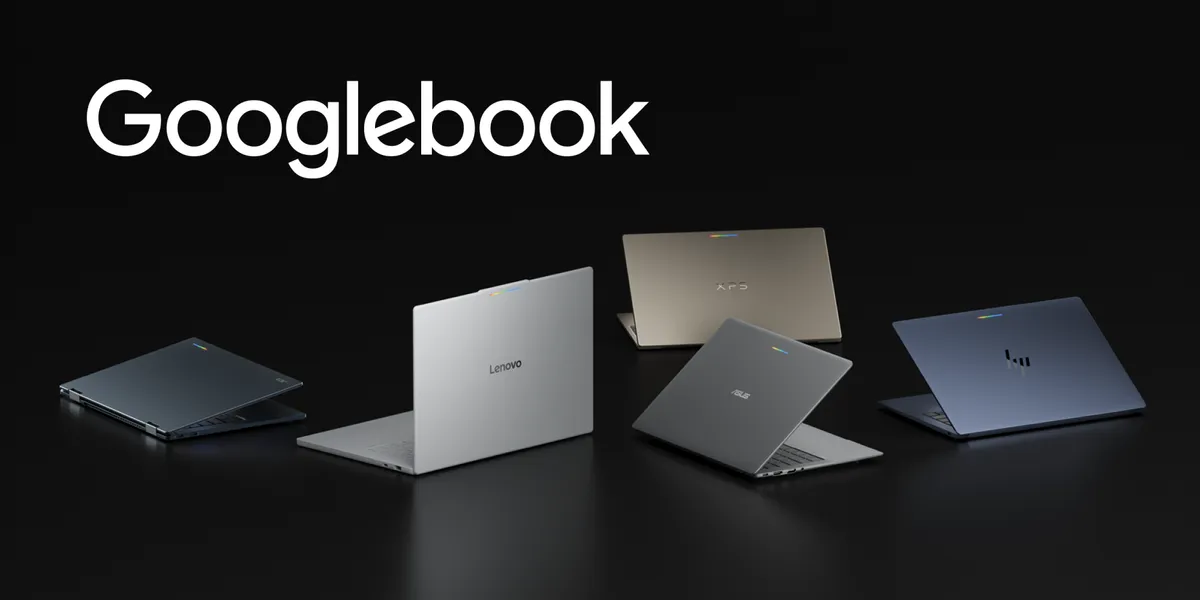
The introduction of Googlebook marks a significant evolution in the Android ecosystem, offering a new category of laptops that seamlessly blend mobile convenience with desktop power. With high-performance hardware from industry leaders like HP, Dell, Lenovo, Acer, and Asus, Googlebook is primed to enhance user experiences across various applications.
What is Googlebook?
Googlebook devices are built on a shared Android foundation, featuring high-resolution OLED touchscreens, dedicated keyboards, and precision trackpads, all while boasting all-day battery life. The integration of OS-level Gemini Intelligence allows users to transition effortlessly from quick interactions on their mobile devices to rich, immersive sessions on their laptops.
Opportunities for App Developers
Bringing your app to Googlebook opens up a wealth of opportunities across the Android ecosystem. Google Play will highlight optimized apps with dedicated badging, enhanced search capabilities, and featured spots on curated store homepages. This visibility is crucial for developers looking to expand their reach and engage more users.
Moreover, apps that meet quality standards can enroll in the Apps Experience Program, which provides a unique program rate card designed to drive business growth. When users set up their new Googlebook devices using their Android phones, optimized apps are prominently displayed for easy transfer, ensuring that your app has a strong presence from day one.
Adaptive Development: A Key to Success
One of the most exciting aspects of Googlebook is the concept of adaptive development. Developers do not need to create separate applications for different devices; instead, they can leverage their existing adaptive layouts to optimize user experiences on larger displays.
On a laptop, the user experience shifts towards higher information density, precision input, and active multitasking. To fully utilize this environment, developers should follow desktop development and design guidelines. This includes reorganizing content into functional groupings rather than merely stretching mobile interfaces across larger screens.
Implementing Multi-Pane Layouts
- Adopt a multi-pane architecture to allow your UI to expand and reveal richer details as window boundaries change.
- Utilize Navigation 3 to implement adaptive scene strategies that coordinate multi-pane layouts directly from your back stack.
- Employ ListDetailSceneStrategy and SupportingPaneSceneStrategy to enable side-by-side layouts when more window space is available.
Enhancing User Experience with Desktop Features
Once your core layout is adaptive, consider adding features that take full advantage of the desktop environment. Everyday productivity relies on versatile input methods, so integrating support for physical keyboard navigation and pointer selection is essential.
Additionally, contextual cursors can enhance usability by providing visual feedback for text entry and tool selection. Implementing right-click context menus and hover states can further elevate the overall user experience.
Multi-Instance Support and Customization
- Enable multi-instance support to allow users to launch independent windows for comparing content or managing multiple documents.
- Incorporate drag-and-drop capabilities to facilitate fluid movement of text, images, and files between windows.
- Customize your app’s window frame with a caption header bar that can include custom backgrounds, search bars, or tabs.
Moreover, Googlebook supports a feature called Continue On, which keeps experiences connected across phones, tablets, and laptops. This bidirectional handoff allows users to start a task on one device and seamlessly continue it on another, preserving context such as document positions or active tabs.
Conclusion: Embracing the Future of Development
The Googlebook lineup represents an exciting opportunity for developers to deliver richer, more capable experiences. By focusing on adaptive development, a single codebase can ensure optimal performance across phones, tablets, and Googlebooks, while also unlocking enhanced visibility on Google Play.
As the Android ecosystem evolves with the release of Android 17 and the Pixel family, developers are encouraged to explore the documentation available at the Googlebook developer hub and start building for this innovative platform today.
Source for the original facts: Original source.